Google Photos is one of the easiest ways to store, organize, and access personal photos and videos. I personally find cloud photo storage very useful because it keeps important memories available even when I change my phone or lose access to my device. However, because Google Photos is connected to your Google Account, securing the account should be a priority.
Your photos can contain a lot of private information. Family pictures, travel photos, screenshots, documents, locations, and personal moments can all be stored in one place. If someone gets access to your Google Account, they may also be able to access your Google Photos library.
The good news is that securing Google Photos does not require complicated technical knowledge. Most of the important protection comes from securing your Google Account and regularly checking your privacy and security settings.
In this guide, I will explain how to secure your Google Photos account with simple steps that anyone can follow.
Why You Should Secure Your Google Photos Account
Many people focus on securing their email or banking accounts but forget about their photo library. I believe Google Photos deserves the same attention because personal photos can reveal a surprising amount of information.
A photo may show your home, workplace, family members, travel locations, documents, or other private details. If an unauthorized person gains access to your account, they could potentially view, download, or share your photos.
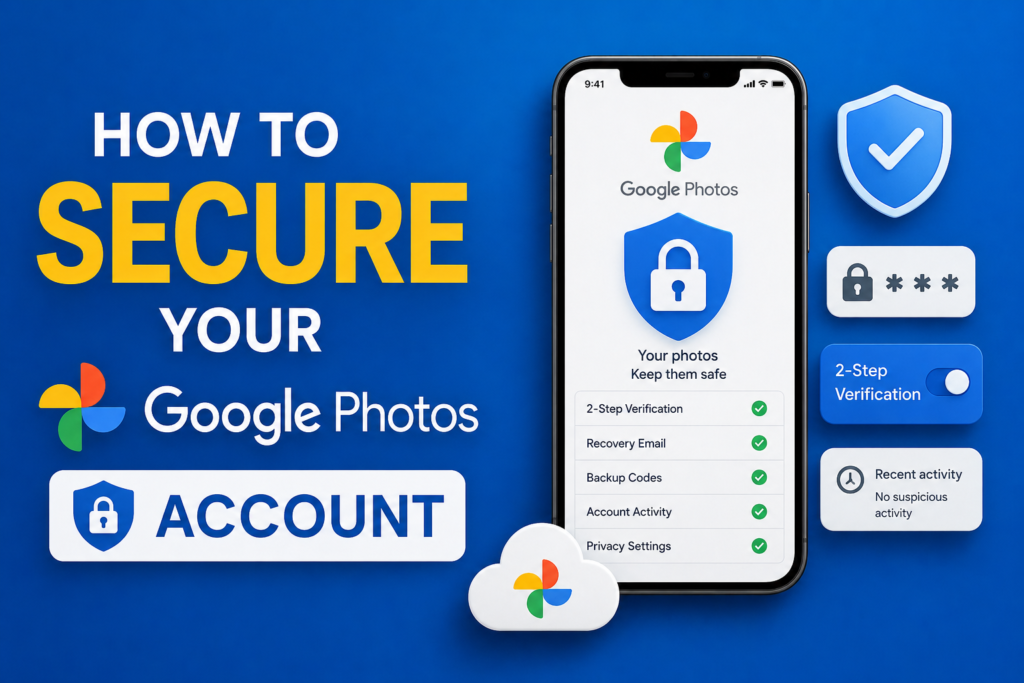
Google Photos security is closely connected to Google Account security. This means that protecting your password, enabling two step verification, reviewing signed in devices, and keeping recovery information updated are all important parts of protecting your photos.
Use a Strong Google Account Password
The first step in securing Google Photos is using a strong and unique Google Account password.
Your Google Account password should not be something easy to guess. Avoid using your name, birthday, phone number, simple words, or common password patterns.
I recommend using a long password that is unique to your Google Account. Do not reuse the same password on social media, shopping websites, or other online services.
Password reuse can create a serious problem. If another website suffers a data breach and your password becomes exposed, someone may try the same password on your Google Account.
A unique password gives your Google Account an additional layer of protection.
Turn On Two Step Verification
Two step verification is one of the most important security features available for a Google Account.
When two step verification is enabled, signing in normally requires more than just your password. Depending on your settings and device, Google may ask you to confirm your identity using another verification method.
This is useful because a stolen password alone may not be enough for someone to access your account.
To enable it, open your Google Account settings and go to the Security section. Find the option for two step verification and follow the instructions provided by Google.
I strongly recommend enabling this feature for any account that contains important personal information.
Keep Your Recovery Information Updated
Your recovery email address and phone number can help you regain access to your Google Account if you forget your password or experience a security problem.
Check your recovery information regularly and make sure it is still accessible to you.
If you change your phone number or stop using an old recovery email address, update your Google Account information.
Having accurate recovery information can make account recovery much easier.
Review Devices Signed Into Your Google Account
Another important step is checking which devices are currently signed into your Google Account.
You may find phones, tablets, computers, or other devices that you recognize. You should carefully review this list.
If you see an unfamiliar device, investigate it. If you are certain that you do not recognize or trust the device, consider signing it out and reviewing your account security.
I recommend checking your signed in devices from time to time, especially after changing phones, selling an old device, or using a public computer.
Check Recent Security Activity
Google provides security activity information that can help you identify unusual activity.
Review recent sign in events, password changes, and other important security notifications.
If you notice something you did not do, take action immediately. Change your password, review your devices, and check your recovery information.
Do not ignore unexpected security notifications. They can sometimes be an early warning that someone is attempting to access your account.
Be Careful With Phishing Emails
Phishing is one of the most common ways attackers try to steal Google Account credentials.
You may receive an email or message claiming that your account has a problem or that you need to verify your information. The message may contain a link that leads to a fake login page.
Before entering your Google password, carefully check where the link leads.
I prefer opening the official Google service directly instead of clicking unexpected login links in emails or messages. This simple habit can reduce the risk of entering your password on a fake website.
Avoid Sharing Your Google Account Password
Never share your Google Account password with another person.
Even if someone claims to be helping you fix a technical problem, there is usually no good reason for them to need your password.
If someone needs access to a particular file or photo, use the appropriate sharing features instead of giving them access to your entire Google Account.
Your password should remain private.
Check Google Photos Sharing Settings
Google Photos includes sharing features that make it easy to send photos and albums to other people. These features are useful, but it is important to know what you have shared.
Regularly review shared albums and other sharing options. Remove access when it is no longer necessary.
For example, if you created an album for a temporary event and no longer need someone to access it, consider removing their access.
I believe keeping sharing permissions under control is just as important as having a strong password.
Be Careful When Sharing Photos
Before sharing a photo, look at what is visible in the picture.
A photo can contain more information than you may realize. It might show an address, identity document, vehicle number, workplace information, or other personal details.
Think about who will receive the photo and whether they actually need it.
For sensitive pictures, avoid sharing them with large groups or people you do not know well.
Protect Your Phone
Your Google Photos account may be secure, but your phone also needs protection.
Use a strong screen lock, fingerprint authentication, or another trusted security method supported by your device.
If someone gets physical access to an unlocked phone, they may be able to view your photos and other personal information.
Always keep your phone locked when you are not using it, especially in public places.
Keep Your Phone and Apps Updated
Software updates often include security improvements. For this reason, keeping your Android device and Google Photos application updated is a good security habit.
Install updates from trusted sources and avoid downloading modified versions of Google Photos from unknown websites.
An updated device can provide better protection against known security problems.
Avoid Using Google Accounts on Untrusted Devices
Be careful when signing into your Google Account on public computers or devices belonging to other people.
If you must use another device, make sure you sign out afterward.
Avoid saving your password in a browser that does not belong to you.
I personally prefer using my own phone or computer whenever possible for accessing private accounts such as Google Photos.
Use Google Security Checkup
Google provides security tools that can help you review important account settings.
Security Checkup can help you look at account protection, signed in devices, recovery information, and other security related settings.
It is a good idea to perform a security review occasionally rather than waiting until something goes wrong.
A quick security check can help you discover outdated information or unfamiliar activity.
Review Apps With Google Account Access
Over time, you may give different applications and services access to your Google Account.
Some of these services may no longer be necessary.
Review the third party applications connected to your Google Account and remove access from services you no longer use or trust.
This reduces the number of external services that have access to your account information.
What to Do If You Think Your Account Was Hacked
If you believe someone has accessed your Google Account without permission, act quickly.
Start by changing your password using the official Google Account settings. Then review recent security activity and signed in devices.
Check your recovery email and phone number to make sure they have not been changed.
Also review connected applications and Google Photos sharing settings.
If you use the same password anywhere else, change those passwords as well. Using unique passwords can help prevent one compromised service from affecting your other accounts.
Final Thoughts
Learning how to secure your Google Photos account is an important part of protecting your personal information and memories. Your photo library can contain years of private moments, so it should not be treated as something that does not need security.
In my opinion, the most important steps are using a strong unique password, turning on two step verification, keeping recovery information updated, checking signed in devices, reviewing security activity, and being careful with suspicious links.
It is also worth reviewing your Google Photos sharing settings and connected applications from time to time.
You do not need to be a cybersecurity expert to protect your account. A few simple habits can make a significant difference. Once these settings are configured, maintaining your Google Photos security becomes much easier.
The most important thing is to stay aware. Never share your password, do not rush through unexpected security messages, and always verify where you are signing in before entering sensitive information.
By following these steps, you can enjoy the convenience of Google Photos while taking sensible steps to keep your photos and Google Account more secure.